Everything that’s in it
No fluff: these are the features you’ll use every week.
Stars and stickers
Every task has a value, say 1.5 stars for vacuuming. Complete it and your sticker sticks to the task, the stars land in your account. Do it as a pair and each of you gets half a sticker.
- 12 sticker symbols: crown, heart, paw, bolt, sun and more
- Your own colour per person
- Photo proof for tasks people like to “forget”
- Half stickers when you do it together
Rooms, weekly plan, rotation
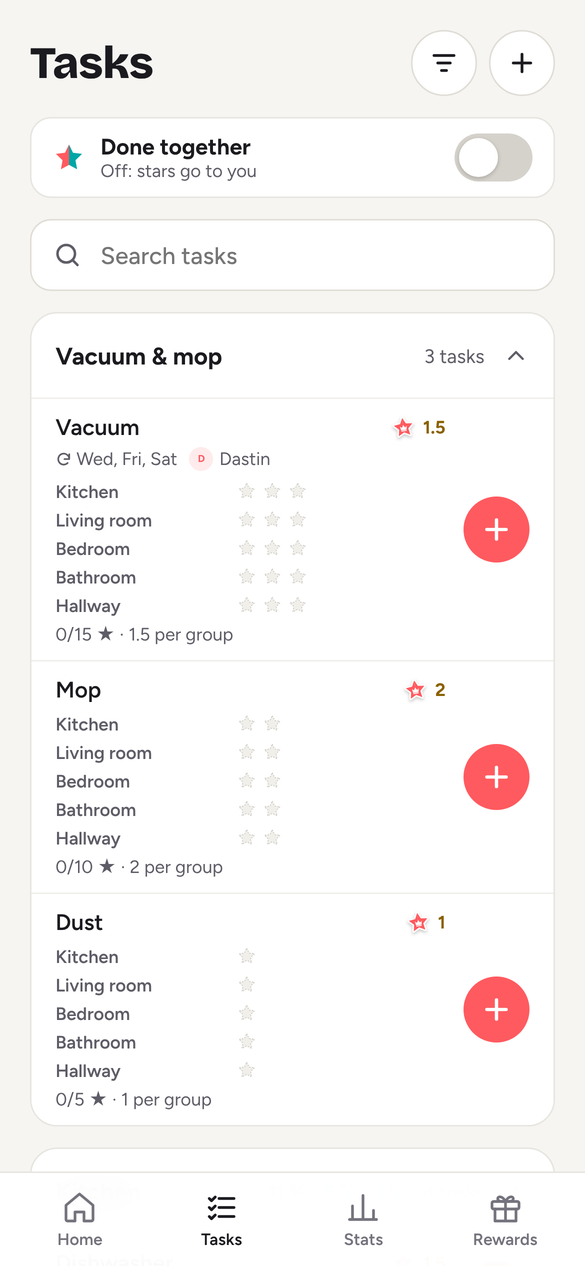
Tasks belong to rooms: kitchen, bathroom, hallway. Per task you set how often it counts per week and whose turn it is. Rotation switches automatically so the same person doesn’t always clean the bathroom.
- Weekly cap: dishwasher counts 3 times a week at most
- Rotation across several people
- Plan: weekly, monthly or “after completion”
- Routines: morning, evening, weekly clean – tick off step by step
- “I’m away”: on holiday, rotation skips you
Rewards and weekly winner
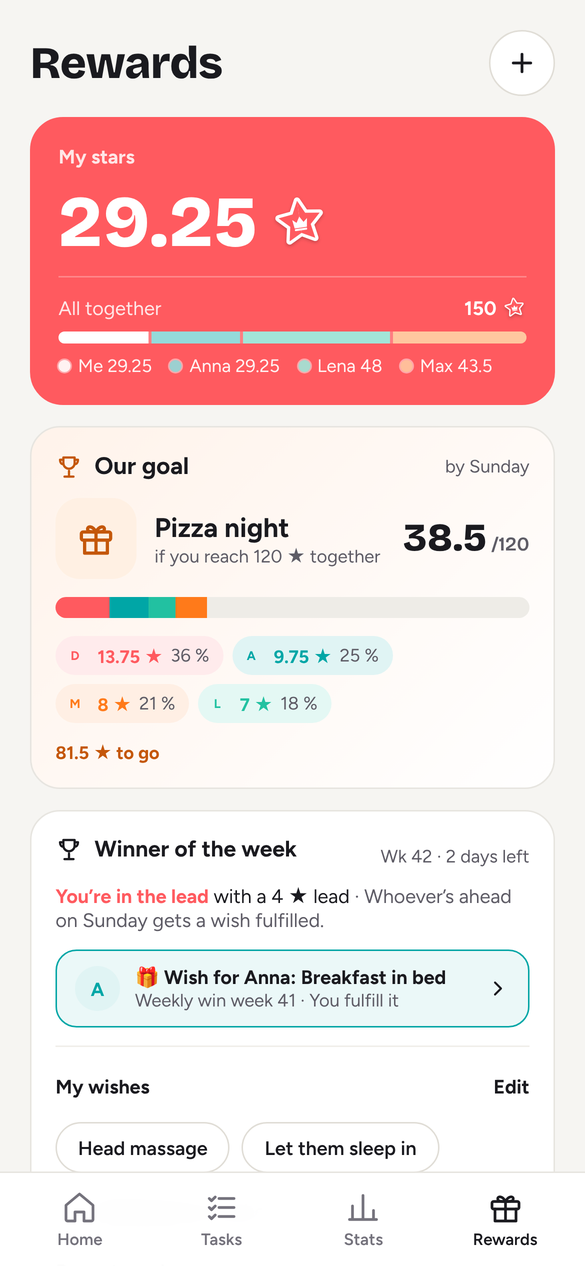
You create rewards yourselves and price them in stars. Every Sunday it’s counted: whoever leads makes a wish. The others tick it off once it’s done.
- Rewards with photo, link and price
- Team rewards everyone chips in for
- Donation reward: stars to a good cause
- Monthly winner with a wish list
Projects, board, timeline
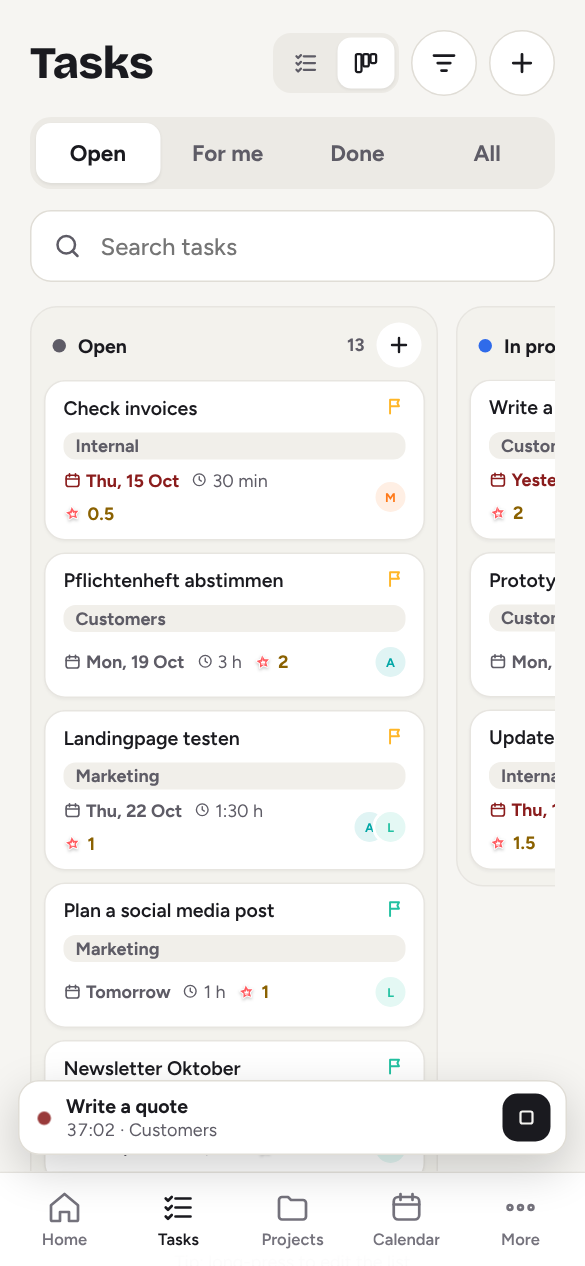
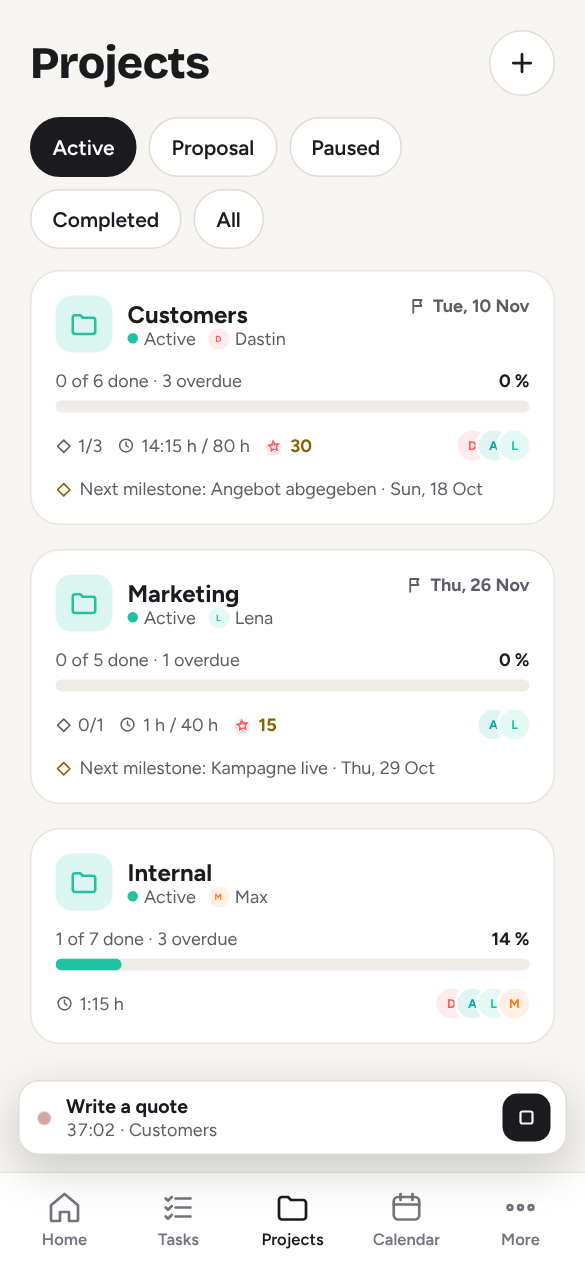
In a work space every project has a status, deadline, budget and milestones. Tasks sit on a board with Open, In progress, Review and Done, or on a timeline with start and due date. Reach a milestone and the team earns stars.
- Board with drag and drop, list with columns, draggable timeline
- Priority, estimate, tags and milestone on every task
- Templates: one task bundle for every new project
- Desktop: keyboard shortcuts, command palette (⌘K), multi-select
Track time, invoice it
Every task has a timer, or you log time manually. The timesheet shows where the hours went. Billable time becomes an invoice in two clicks, with number, PDF and payment terms.
- Timer, manual entries, timesheet, rounding per client
- Estimate vs. actual, budget warning at 80 and 100 %
- Clients, quotes, invoices, e-invoice (XRechnung), DATEV export
- Workload per person and week, warning when assigning
To-dos for teams
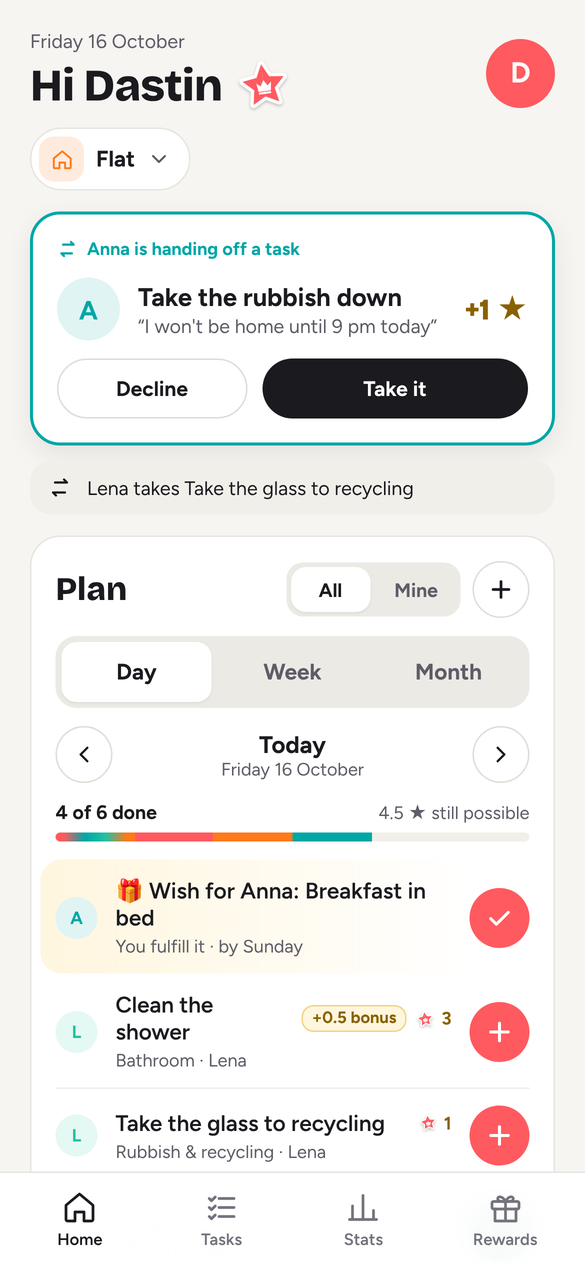
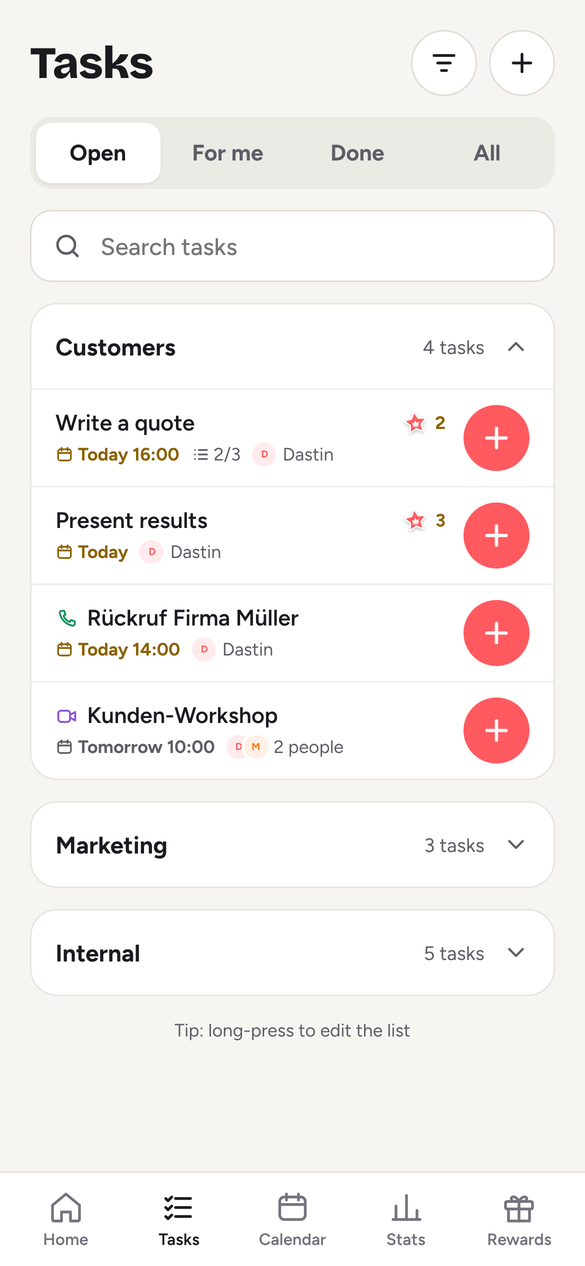
In a work space, tasks become to-dos: due date, owner, subtasks and notes. Hand a to-do over to a colleague or swap it.
- Due dates with reminders in your language
- Hand over and swap, with extra stars as a sweetener
- Notes with @mentions and push
- Calendar and week view
Thank-you stars, streaks, badges
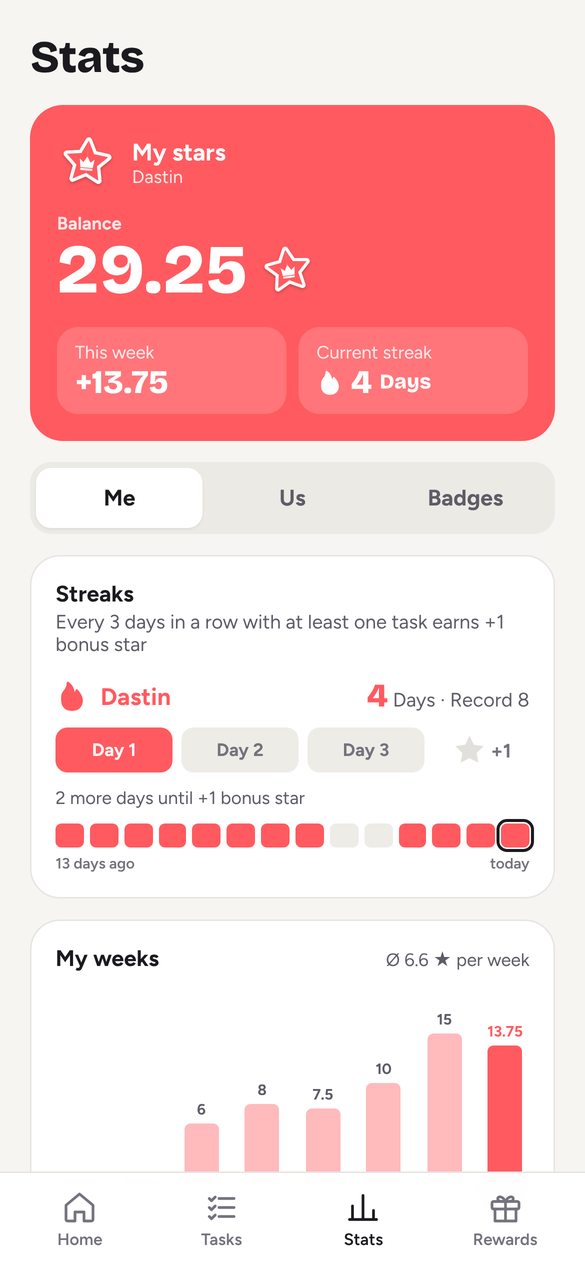
Give three thank-you stars a week to others, with a short note. Complete something three days in a row and claim a bonus. Badges mark milestones: first invite, 50 stars, 10 tasks done together.
- 3 thank-you stars a week
- Streak bonus every 3 days
- 14 badges
- Stats for all weeks and months
Kids, lists, reminders
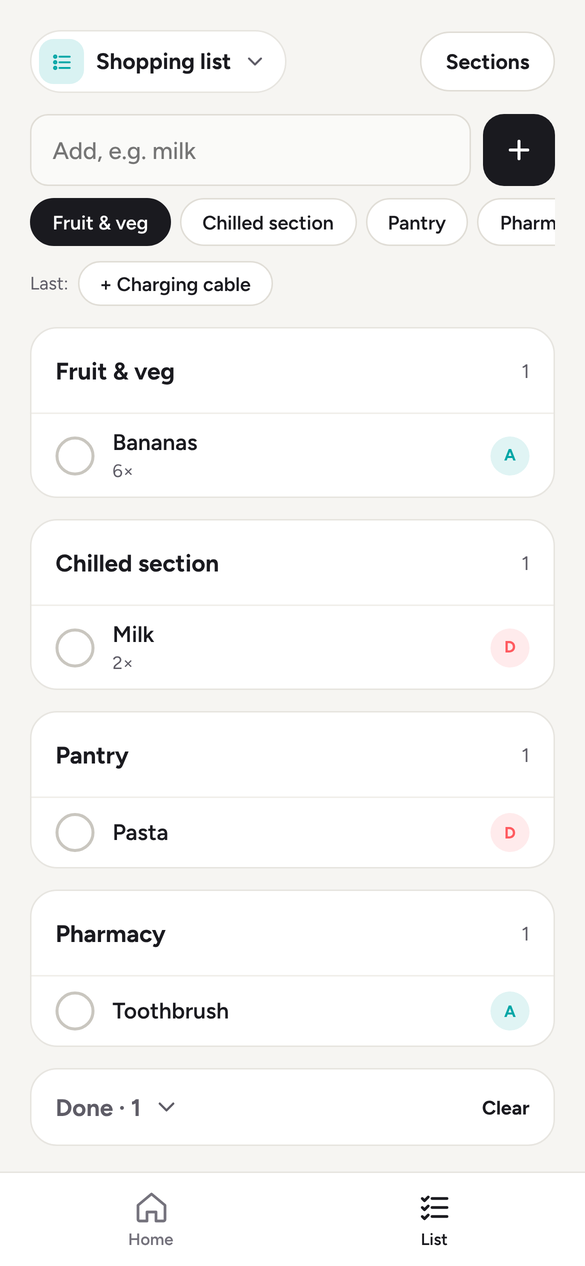
Kids get a profile without an account and a kids mode with big cards. Parents confirm completions if they want. Share lists for groceries and packing. Reminders arrive as push, plus widgets and Siri shortcuts on iPhone.
- Kids mode with PIN
- Lists in real time on every device
- “Today for you”: all due to-dos across spaces
- Widgets, Siri, dark mode
Also
- 6 languages: English, German, French, Spanish, Italian, Dutch
- iPhone, iPad, Mac, Android and browser, all in sync
- Set-up by description: “family with two kids, house with a garden”
- Export your data as a file and restore from a backup, delete your account in the app
- Connect Apple, Google, Microsoft and email to one account
- Works offline, syncs afterwards
- No tracking, no ads, servers in Frankfurt
Your first sticker takes three minutes.
Free, no ads, no credit card. Get the app or start right in your browser.